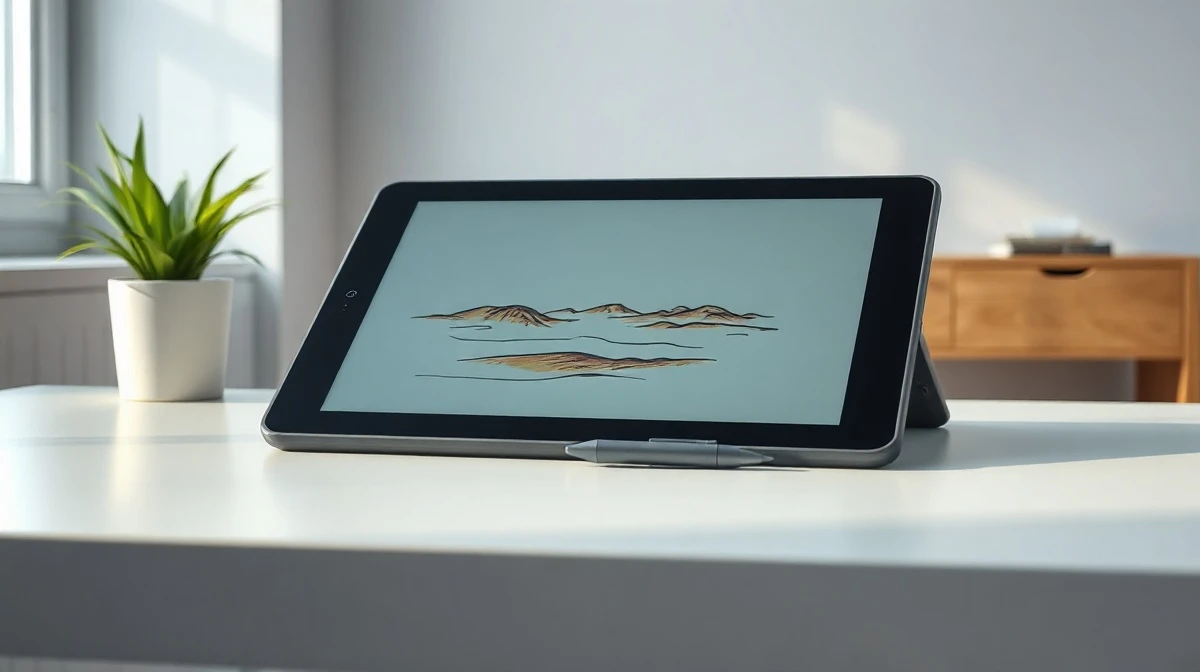
Wacom’s Movinkpad 11, priced at $500, offers a focused Android tablet experience for digital artists who want a dedicated drawing device without stepping up to the $899 Movinkpad Pro 14 or the $3,500 Cintiq Pro 27. As a first-generation model in the series, it provides a balanced mix of portability, stylus quality, and software support that makes it a credible middle-ground option in a market dominated by iPads and budget pen tablets.
A lightweight device built around the stylus
The Movinkpad 11 is an 11.45-inch tablet that weighs just 1.3 pounds, making it easy to carry in a bag or use on a couch. It packs 8GB of RAM and 128GB of storage, which is modest but adequate for drawing apps and storing artwork. The included Pro Pen 3 stylus is the standout feature — a 6.3-inch tool with three programmable side buttons and replaceable nibs, offering a feel similar to a fine-tipped felt pen.
Also read: Tesla and SpaceX commit $16.8B to build massive 'Terafab' chip factory in Texas
Setting up the device is straightforward. You create a PIN on first boot, and since it runs Android, you can sync it with a Google account to back up files or pull in assets from Drive. Wacom also bundles its own drawing app, Wacom Canvas, which covers basic sketching needs. For more advanced work, Clip Studio Paint is available as a paid add-on, and the stylus settings can be tweaked within each app to mimic different brushes, pencils, or pens.
Where the Movinkpad 11 fits in the market
Wacom has long been a leader in graphics tablets, and the Movinkpad 11 is aimed at a specific buyer: someone who wants a purpose-built drawing device but doesn’t want to spend flagship money. At $500, it sits well below the iPad’s upper range (up to $1,100) and far below Wacom’s own professional Cintiq line. However, it’s significantly more expensive than entry-level options like the Huion Inspiroy H640P, which costs around $30 and requires a PC to function.
Also read: This 'adversarial' pattern can prevent surveillance cameras from detecting you
The tablet’s main competition comes from iPads, which offer a broader app ecosystem and the Apple Pencil. But the Movinkpad has an advantage in focus — it’s designed specifically for drawing, with a stylus that feels natural and software that’s tailored to artists. For someone who primarily wants to sketch digitally without the distractions of a full tablet OS, this can be a compelling trade-off.
Who should consider it — and who should skip it
For hobbyists and students just getting into digital art, the Movinkpad 11 is a fun, capable device that won’t break the bank. It’s also a good option for traditional artists who want a portable sketching tool to complement their paper workflow. But casual users who don’t have a strong interest in drawing may find the price hard to justify, especially when a standard Android tablet can run drawing apps for less.
Wacom’s reputation for build quality and stylus technology is a key selling point here. The Pro Pen 3 feels precise and responsive, and the ability to customize nibs and side buttons adds a level of personalization that many budget tablets lack. The battery-free design also means no charging worries — the stylus works as long as the tablet is on.
As Wacom continues to iterate on the Movinkpad line, the 11 serves as a solid entry point that demonstrates the company’s commitment to making digital art accessible. It’s not the most powerful or the cheapest option, but it fills a niche for artists who want a dedicated tool with a proven stylus at a mid-range price.
This article is for informational purposes only and does not constitute financial or purchasing advice. Product prices and availability are subject to change.